Documentation Index
Fetch the complete documentation index at: https://braintrust.dev/docs/llms.txt
Use this file to discover all available pages before exploring further.
Summary
For EU organizations, standard OpenAI setup in Braintrust can fail during API key validation because validation currently targets the global OpenAI endpoint instead of the EU base URL. The workaround is to configure OpenAI as a custom provider with the EU OpenAI API key and explicitly set the EU API base URL. You will see a validation error when saving the key. This is expected and can be ignored, since it reflects the global-endpoint validation path rather than the actual EU endpoint configuration. Once configured, use the custom provider for requests.Applicable To
Plans: Any Deployments: AnyConfiguration Steps
Step 1: Configure custom provider
Go to > Custom provider > Create.Step 2: Enter credentials
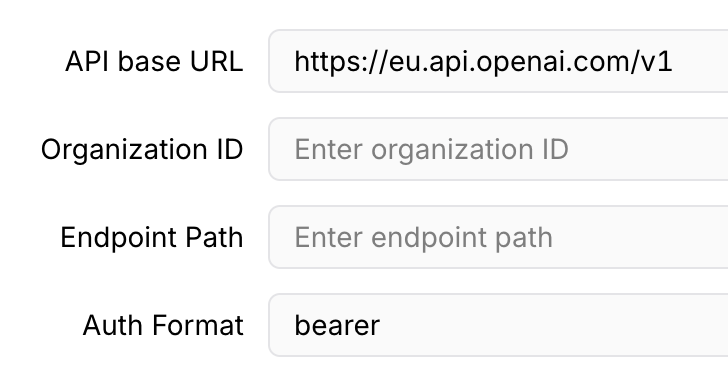
Set the provider name (for example, OpenAI EU). In API key, enter your EU OpenAI API Key. Enterhttps://eu.api.openai.com/v1 as API base URL.
In Auth Format, enter bearer.