

Trace and improve Cloudflare Agents
Cloudflare just launched native agent tracing with Cloudflare Agents. If you build agents on Cloudflare Workers, you can now see what they do in production. The tracing is built on OpenTelemetry, so you can export it to any OTLP-compatible destination, including Braintrust.
Teams building on Cloudflare can send these traces to Braintrust to see how their agents behave, evaluate them, and improve them over time. There are two ways to get the traces in. You can export them via OpenTelemetry, or instrument your agents in JavaScript on the Workers runtime. Both produce structured traces in your Braintrust project.
Export Cloudflare traces via OpenTelemetry
Cloudflare Agents emit OpenTelemetry spans, so you can route them straight to Braintrust. Add Braintrust as an OTLP destination in Workers Observability, and the traces arrive without an SDK in your Worker.
To set it up:
- Create a Braintrust API key and pick the destination project.
- Add Braintrust as an OTLP destination in Cloudflare Workers Observability.
- Configure the Braintrust traces endpoint and authentication headers.
- Reference the
braintrustdestination inwrangler.jsonc. - Deploy the Worker. Agent runs then appear as traces in Braintrust.
Braintrust maps those spans into structured LLM and tool spans. A Cloudflare agent run will read like any other trace in your project.
First-class JavaScript instrumentation
You can also instrument inside the Worker. Braintrust has first-class support for the Cloudflare Agents SDK, @cloudflare/ai-chat, @cloudflare/think, and Flue. The Braintrust JavaScript SDK runs in the Workers runtime, so the instrumentation works in a deployed Worker.
For the Cloudflare Agents SDK, wrap the base Agent class and every subclass inherits tracing. This requires agents v0.17.0 or later.
wrapCloudflareAgent(Agent);

export class MyAgent extends Agent {
  // your agent, now traced
}
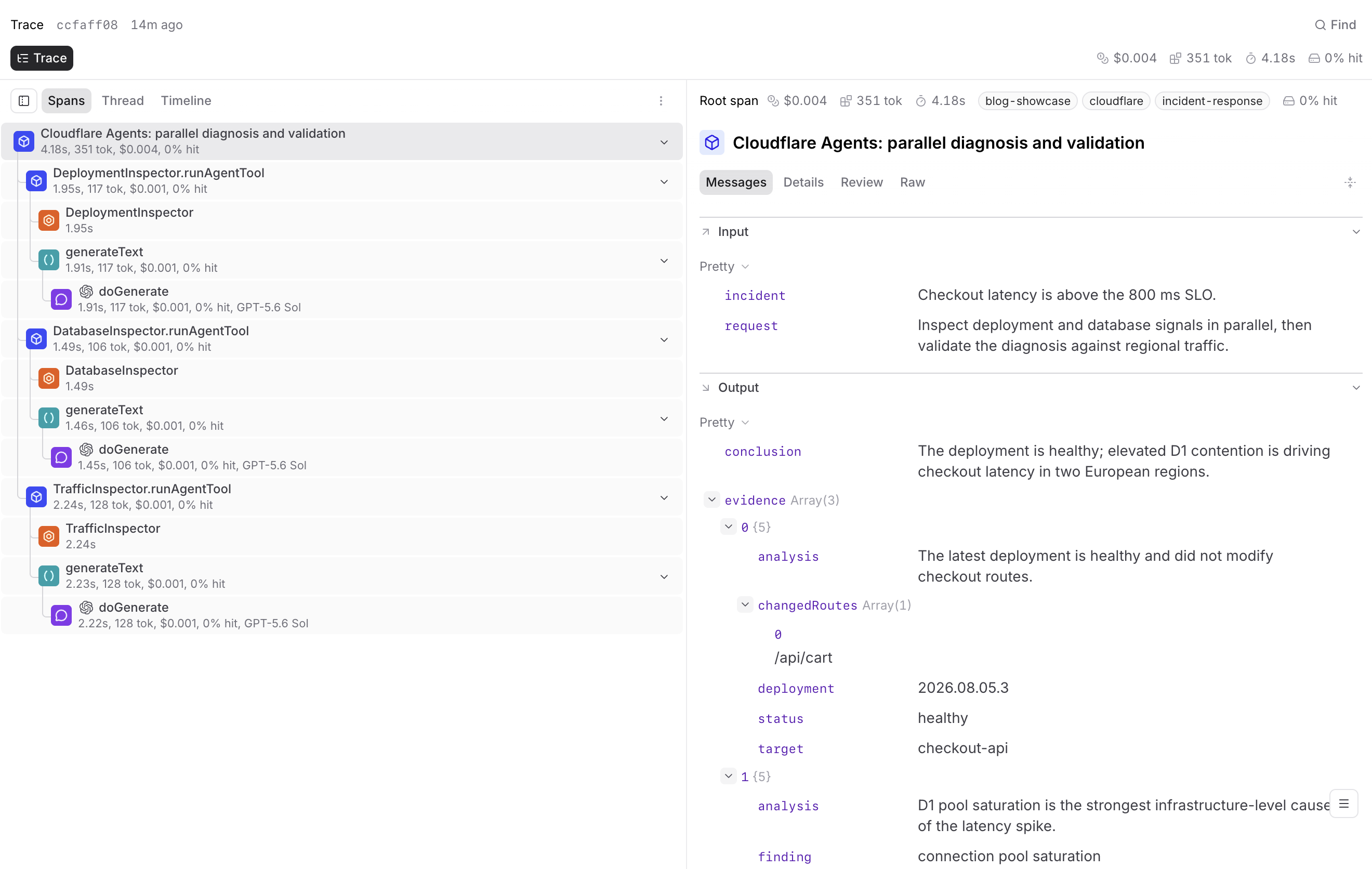
@cloudflare/ai-chat and @cloudflare/think use a different pattern. You pass the whole module to the wrapper and extend the class it returns. This requires @cloudflare/ai-chat v0.9.0 or later.
const { AIChatAgent } = wrapCloudflareAIChat(aiChat);

export class MyAgent extends AIChatAgent {
  // your agent, now traced
}
@cloudflare/think follows that same shape, where wrapCloudflareThink(cloudflareThink) returns Think. It requires @cloudflare/think v0.13.0 or later, plus a Durable Object binding and migration for your agent class.
Deploying any of these to Workers needs three things:
nodejs_compatturned onBRAINTRUST_API_KEYstored as a Wrangler secretinitLogger()in yourfetchhandler, withctx.waitUntil(logger.flush())so buffered traces ship after the response returns
Flue
Flue uses an observer. Install braintrust, @flue/runtime, and @flue/cli, then register the observer at your entry point before any workflows run.
initLogger({ projectName: "my-flue-app" });
observe(braintrustFlueObserver);
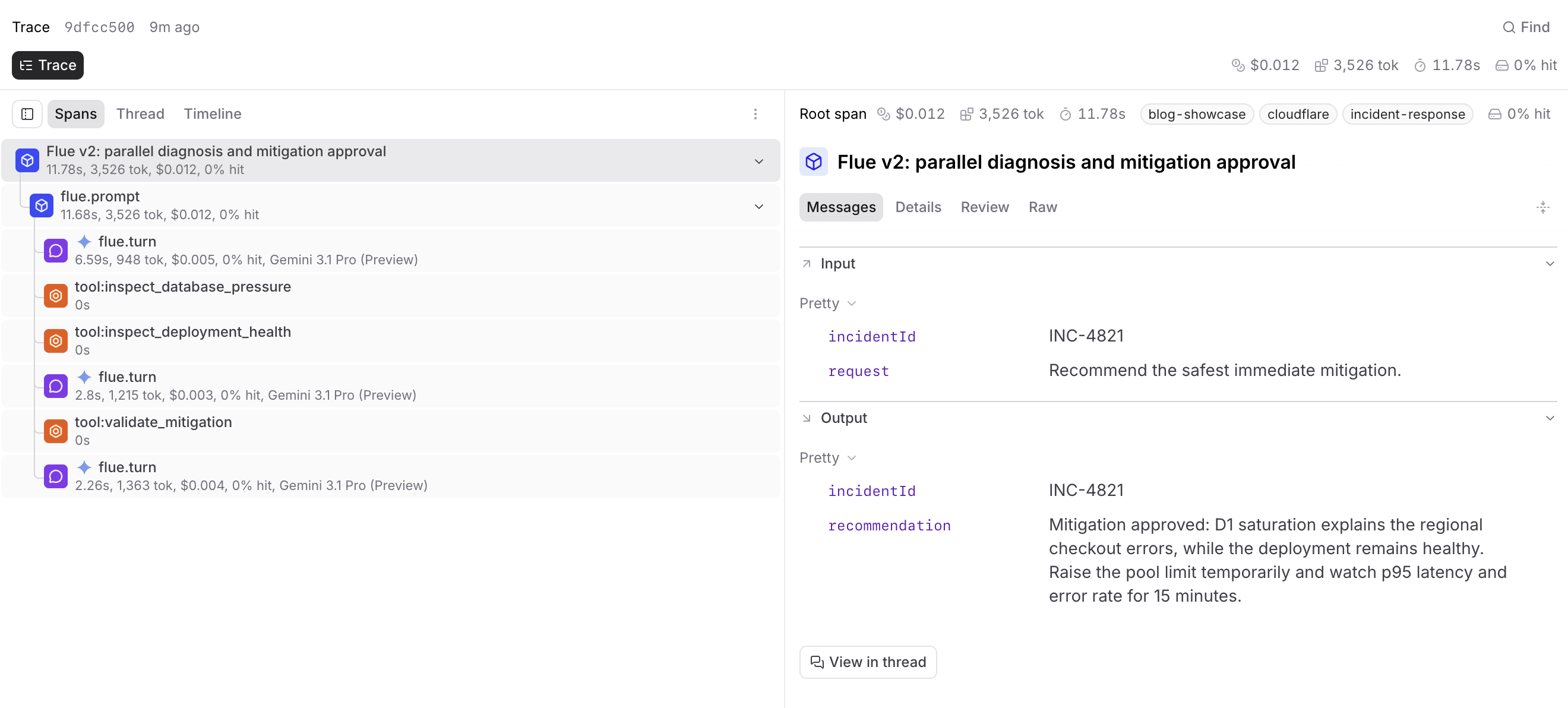
Braintrust also appears in Flue's evals guide as a tooling integration. Flue builds evals into the framework and recommends the vitest-evals library. Braintrust has a reporter for it, so you can add BraintrustVitestEvalsReporter to your Vitest config and log those eval runs alongside your traces.
How to use the traces
In each Cloudflare Agents trace, you'll find:
- Agent invocations and model calls
- Tool calls, with approvals
- Subagent activity
- Token usage
The agent's decisions and the Workers infrastructure underneath sit in the same trace. When an agent returns a wrong answer, you can trace it back to a bad tool call, the wrong model, or a slow D1 query.
Those same production traces become eval datasets. You can compare models and subagents, test a change to a prompt or a tool, and check whether it improved the agent before you deploy. Each deploy produces more traces to evaluate against.
Get started
Braintrust is framework-agnostic by design. It records provider calls, tool calls, and agent steps as spans, no matter which framework produced them. You'll always be able to measure quality the same way.
The export setup and per-framework guides are in the Cloudflare integration docs. Start there, then sign up for free or book a demo.